
Free online database schema designer. Export clean SQL.
The free online database schema designer and ER diagram maker — build tables visually, draw relationships, and export clean SQL for MySQL, PostgreSQL, SQLite, Oracle, SQL Server, or MS Access. No install required.


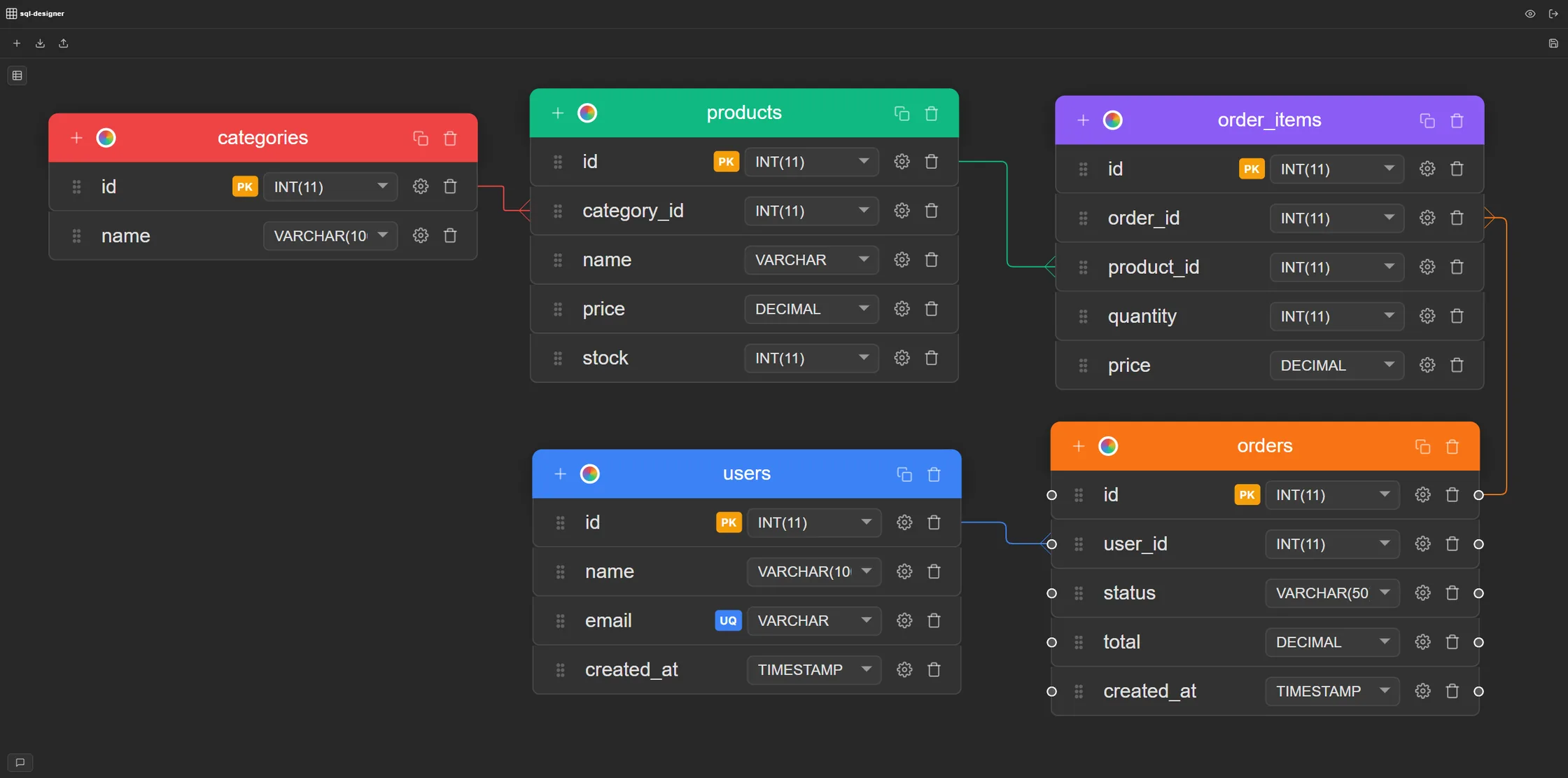
What is SQL Designer?
SQL Designer is a browser-based entity relationship diagram (ERD) tool built for developers who need to model relational databases visually. It supports six SQL dialects — MySQL, PostgreSQL, SQLite, Oracle, SQL Server, and Microsoft Access — with dedicated column type pickers and DDL export for each engine. The design workflow is visual: create tables, add columns using real database types such as INT, VARCHAR, and DECIMAL, set PRIMARY KEY, UNIQUE, and NOT NULL constraints with toggles, and draw foreign key relationships by connecting columns on the canvas. The diagram uses crow's foot notation for cardinality. When the schema is ready, export a complete CREATE TABLE script in one click — or paste an existing SQL script to visualize it instantly as an editable diagram. SQL Designer runs entirely in the browser with no download or installation required. The free plan includes 1 diagram and 3 combined SQL, JSON, migration, or PNG exports per week; Pro includes unlimited diagrams and exports. The full source code is available on GitHub under an open-source license.
How it works
Import your DB or start from scratch
Use SQL or JSON schema you have. Optionally, you can just start designing from scratch
Create tables, draw relations
Press a few buttons to create tables and columns. Draw relations with your mouse.
Generate CREATE TABLE script
Export valid SQL, JSON or even Laravel migration file. More formats coming soon!
Features
- Drag-and-drop canvas
- MySQL, PostgreSQL, SQLite, Oracle, SQL Server & MS Access
- Foreign key relationships
- Crow's foot notation
- PRIMARY and UNIQUE constraints
- UNSIGNED & NOT NULL properties
- Free: 1 diagram; Pro: unlimited diagrams
- Auto-save
Common questions
More on the blog — including comparisons with MySQL Workbench, dbdiagram.io, and Lucidchart.
Is SQL Designer free?
Yes. The Free plan includes 1 diagram and 3 weekly combined SQL, JSON, migration, or PNG exports. Pro removes both limits.
Is there anything to install?
No — SQL Designer runs entirely in your browser.
What SQL dialects are supported?
MySQL, PostgreSQL, SQLite, Oracle, SQL Server, and Microsoft Access.
Do I need to know SQL?
No. You design visually — drag tables, click columns, draw relationships. The SQL is generated for you.
Can I import an existing schema?
Yes. Paste a CREATE TABLE script or import it from file and SQL Designer transforms it into a visual diagram you can edit.
Is my work saved?
Yes — changes auto-save to your account.
How many diagrams can I create?
The Free plan includes 1 diagram. Pro includes unlimited diagrams.
Is SQL Designer open source?
Yes. The full source code is available on GitHub. You can inspect it, report issues, or contribute.
How do I create a database schema online?
Open SQL Designer, click
New Tableto add your first table, define columns and data types, then draw foreign key relationships by connecting columns on the canvas. ClickExportto generate a complete CREATE TABLE script. No account needed to start — sign up only when you want to save your work.Can I use this as a MySQL database designer?
Yes. SQL Designer has a dedicated MySQL mode with MySQL-specific data types (TINYINT, MEDIUMINT, ENUM, SET, and more) and exports valid MySQL CREATE TABLE syntax. The same applies to PostgreSQL, SQLite, Oracle, SQL Server, and MS Access.
What is an ER diagram maker?
An ER diagram maker is a tool for visually designing database schemas. You create entities (tables), define attributes (columns), and draw relationships between them. SQL Designer is a free, browser-based ER diagram maker that also generates the SQL CREATE TABLE script directly from your diagram.
From the blog
11 Best Free ERD Tools in 2026
We tested SQL Designer, DrawSQL, dbdiagram.io, ChartDB, ERDPlus and more — honest strengths, real limits.
Read → ReferenceMySQL vs PostgreSQL — Key Differences
Data types, constraints, JSON support, and which database engine to choose for your next project.
Read → Schema DesignDatabase Normalization — 1NF, 2NF, 3NF
Concrete before-and-after table examples. Understand normal forms and when to denormalize.
Read → ReferenceCrow's Foot Notation Explained
One-to-one, one-to-many, many-to-many symbols — and how they map to real foreign key constraints.
Read →Sketch a schema. Export the SQL.
Try the demo — no account needed. Sign up when you want to save.