
How we tested: For each SQL-aware tool, we created a 10-table schema — including foreign key relationships, composite primary keys, and NOT NULL constraints — then attempted to export MySQL and PostgreSQL DDL scripts and verified the output was valid SQL. General-purpose workspaces were evaluated for ERD creation, collaboration, and documented AI or code-first workflows. Free-tier limits were confirmed against each tool's current pricing page.
Disclosure: SQL Designer is my product — we built it and I run this site. Its Free plan includes 1 diagram and 3 weekly combined exports, while Pro provides unlimited use. I've tried to be specific about where each competitor has a genuine advantage: DrawSQL has a more polished UI, Miro is stronger for collaborative AI-assisted system diagrams, DBeaver is better for documenting an existing live database, and ChartDB is stronger for AI-assisted schema explanation. Read the Limitations paragraph under each tool and judge for yourself. As an open-source project, the complete source code and commit history are publicly verifiable at github.com/Snydi/sqldesigner.
- SQL Designer Free plan: 1 diagram and 3 weekly combined exports; Pro removes both limits
- Best for code-first teams: dbdiagram.io (DBML) or QuickDBD (text-to-diagram)
- Best for documenting an existing database: ChartDB (browser) or DBeaver (desktop)
- Best collaborative AI-assisted workspace: Miro for prompt-generated ERDs and Mermaid/MCP workflows
- No SQL awareness — conceptual diagrams only: draw.io, Lucidchart, or Miro
- Best for students: ERDPlus — free, no limits, designed for teaching ER notation
The 11 Tools at a Glance
| Tool | Visual editor | SQL export (free) | Databases | Browser-based | Free limit | Starting price |
|---|---|---|---|---|---|---|
| SQL Designer | ✓ | ✓ MySQL, PG, SQLite, Oracle, SQL Server, MS Access | MySQL, PG, SQLite, Oracle, SQL Server, MS Access | ✓ | 1 diagram; 3 weekly combined exports | Free / Pro $10 USD/mo |
| DrawSQL | ✓ | ✓ several | MySQL, PG, SQLite, MSSQL | ✓ | ~15 tables/diagram | $19/mo |
| dbdiagram.io | ✗ (text DSL) | ✗ (paid) | MySQL, PG, MSSQL | ✓ | Public diagrams only | $9/mo |
| draw.io | ✓ | ✗ (no SQL) | N/A — not SQL-aware | ✓ | None | Free |
| ChartDB | ✓ | ✓ | MySQL, PG, SQLite, MSSQL, more | ✓ | Open-source | Free / $12.5/mo cloud |
| ERDPlus | ✓ | ~ (basic) | Generic / academic | ✓ | None | Free |
| QuickDBD | ✗ (text-first) | ✓ | MySQL, PG, MSSQL, more | ✓ | 1 diagram max | $14/mo |
| Lucidchart | ✓ | ✗ (no SQL) | N/A — not SQL-aware | ✓ | 60 objects/diagram | $8/mo |
| Miro | ✓ | ✗ (no SQL) | N/A — not SQL-aware | ✓ | 3 editable boards; limited AI credits | Free / Starter $8/member/mo |
| DB Designer | ✓ | ~ (limited) | MySQL, PG, SQLite, MSSQL | ✓ | ~50 objects/diagram | $19/mo |
| DBeaver | ✓ (from live DB) | ✓ | Almost any | ✗ (desktop only) | None (Community) | Free / Enterprise $29/mo |
The 11 Tools in Detail
Best for: designing a relational database schema from scratch with a free starting plan
1. SQL Designer — sql-designer.com
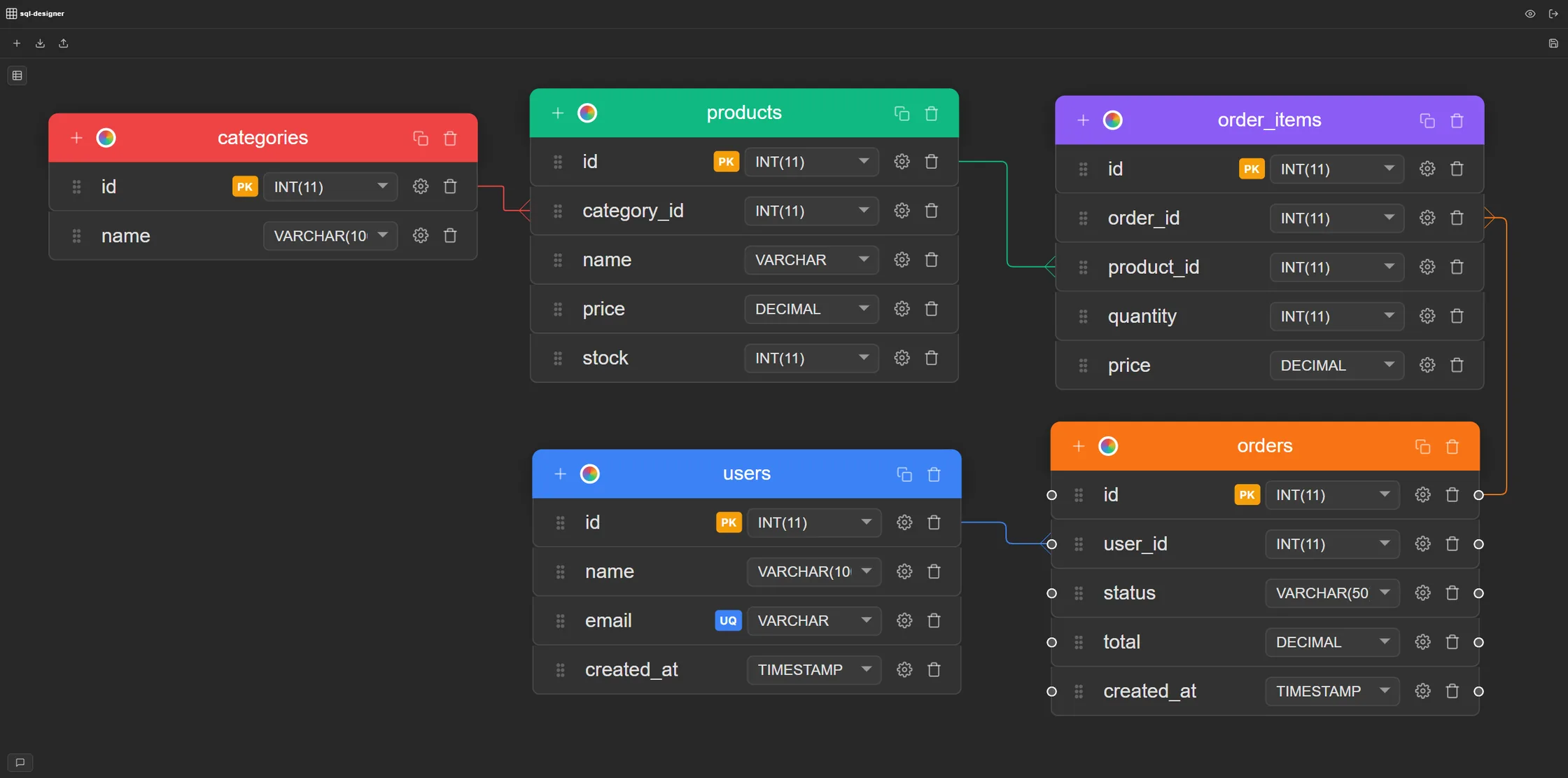
SQL Designer is a browser-based schema design tool for MySQL, PostgreSQL, SQLite, Oracle, SQL Server, and Microsoft Access. The workflow is visual: drag tables onto a canvas, add columns with real database types (INT, VARCHAR, DECIMAL, TIMESTAMP), set PRIMARY KEY, UNIQUE, NOT NULL, and AUTO_INCREMENT or SERIAL constraints with toggles, and draw foreign key relationships by connecting columns. The diagram uses crow's foot notation. When the schema is ready, export a complete CREATE TABLE DDL script for your target engine in one click — or paste existing SQL to visualise it instantly.
The Free plan includes 1 diagram and 3 weekly combined SQL, JSON, migration, or PNG exports. Pro provides unlimited diagrams and exports. Collaboration features — shareable links, embeddable iframes, and real-time multiplayer editing — are included at no cost. No credit card is required for the Free plan; the demo canvas works without an account.
Limitations: there is no reverse-engineering from a live database connection; you import SQL scripts, not live databases. The tool is focused on schema design, not query execution or database administration.
Verdict: a strong browser-based option for visual database schema design, with broad multi-dialect support and a Free plan plus unlimited Pro access.
Best for: teams who want visual design with broader database support
2. DrawSQL — drawsql.app
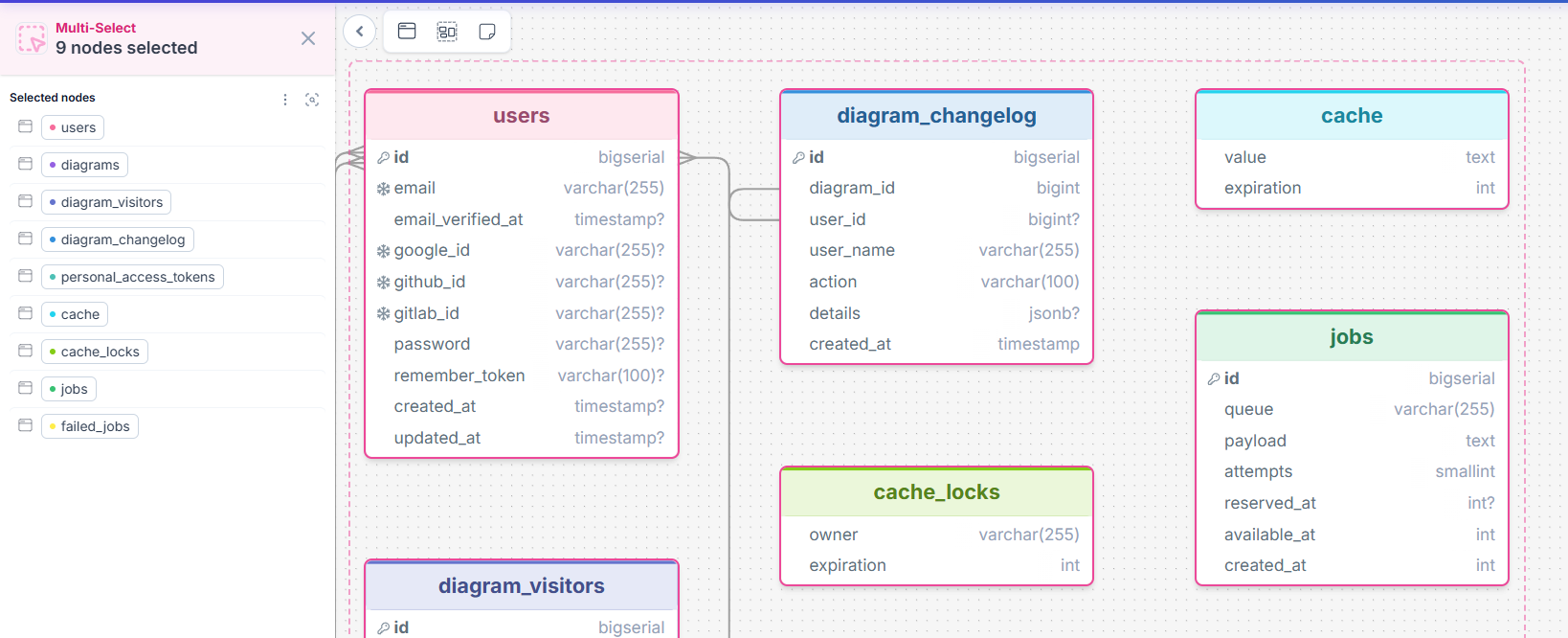
DrawSQL is a polished visual database schema designer with a clean drag-and-drop interface. It supports MySQL, PostgreSQL and SQL Server, and produces SQL export for all of them. Data types, constraints, and foreign key relationships are all handled visually. The interface is arguably more refined than most competitors. Team collaboration — sharing, commenting, and multiple editors — is built in.
Limitations: the free tier caps diagrams at 15 tables. For small schemas this is fine; for larger projects it becomes a hard boundary. Some advanced collaboration features are paywalled. Paid plans start at $19/month.
Verdict: an excellent visual ERD tool with a more polished UI than SQL Designer; the table cap on the free tier is the main constraint. Other than that, paywall restricts access to JSON export, real-time collaboration and private diagrams.
Best for: developers who prefer defining schemas in code rather than clicking
3. dbdiagram.io
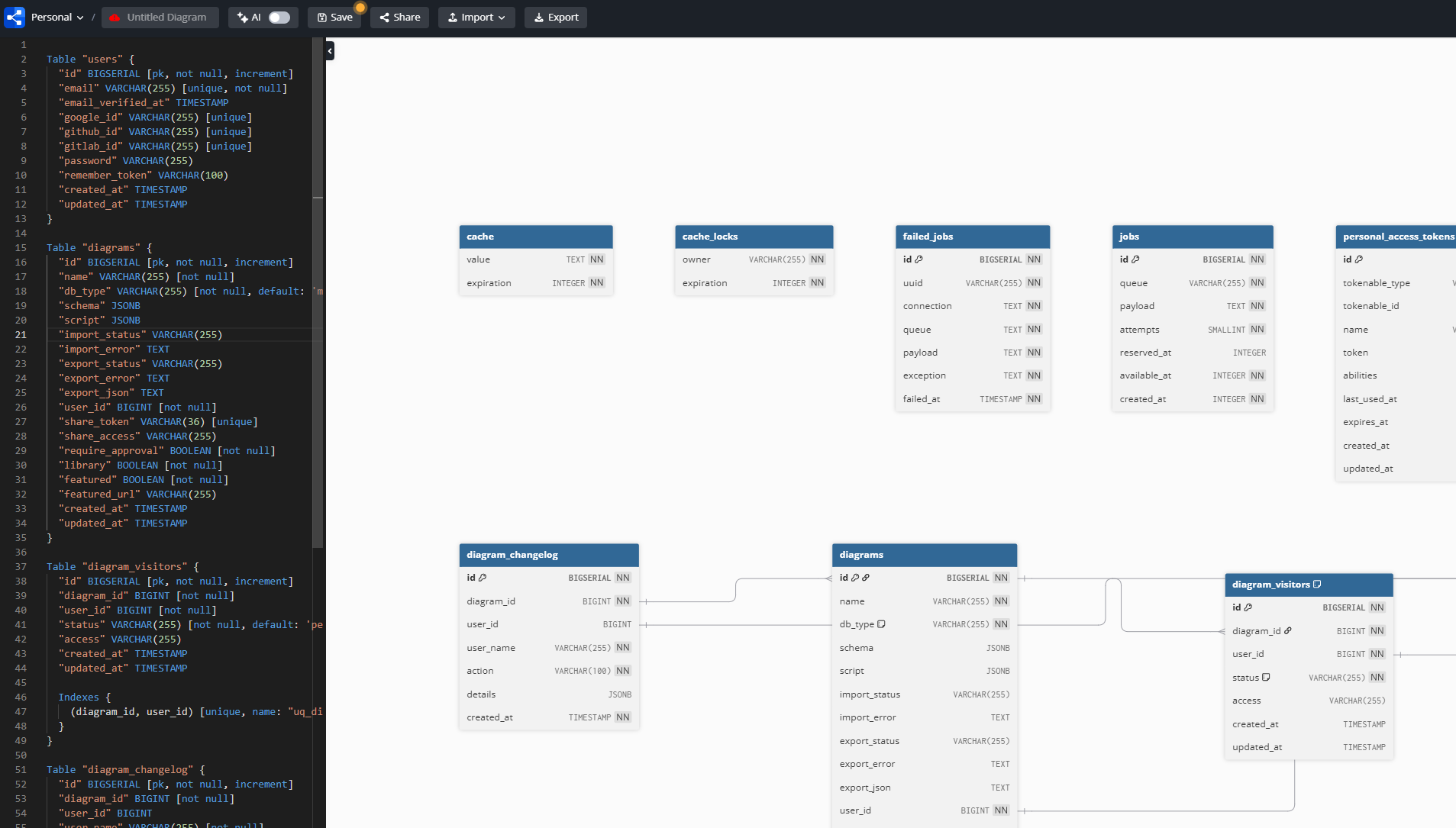
dbdiagram.io is text-first: you write your schema in DBML (Database Markup Language) and it renders a visual diagram on the right. It's fast and efficient for developers who can type a schema directly. The rendered diagrams are clean and shareable. It's probably the most widely-used tool in this list.
Limitations: diagrams are public by default; private diagrams require a paid plan ($9/month). SQL export is also locked behind a paid plan. Real-time collaboration is paywalled. For non-developers or visual thinkers, the DBML-first approach adds friction.
Verdict: the go-to for code-first teams who want fast schema documentation; the privacy and collaboration paywall makes it a poor fit as a free end-to-end design tool.
Best for: conceptual data models and communication diagrams, not working schemas
4. draw.io / diagrams.net
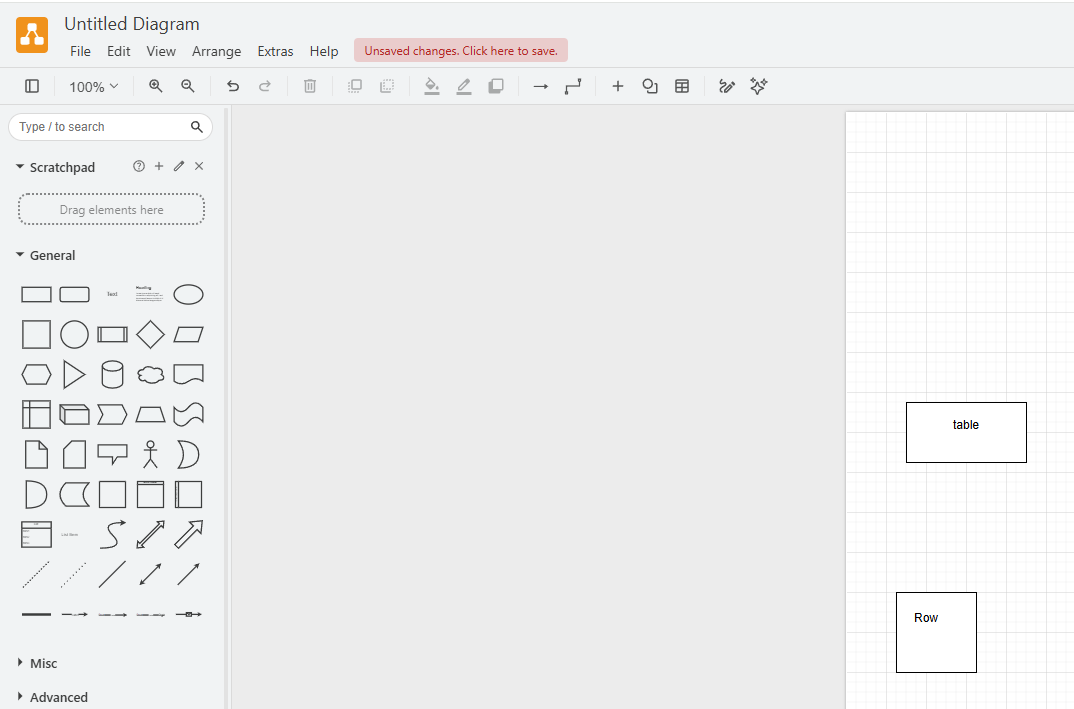
draw.io is a free, open-source, general-purpose diagramming tool with a large shape library that includes entity and table shapes. It's completely free with no document limits. Diagrams save to your local filesystem, Google Drive, GitHub, or OneDrive. There is both a browser version and a desktop application.
Limitations: no SQL awareness whatsoever. Column types are plain text labels — the tool does not validate them or understand what they mean. There are no constraint concepts, no structural foreign key relationships, and no SQL export. You can draw something that looks like a schema, but you cannot generate DDL from it. For communicating a rough data model to non-technical stakeholders, it works well. For designing a database that needs to produce runnable SQL, it is the wrong tool.
Verdict: excellent free tool for visual communication; not suitable for database schema design that needs to produce SQL.
Best for: documenting and understanding existing databases with AI assistance
5. ChartDB — chartdb.io
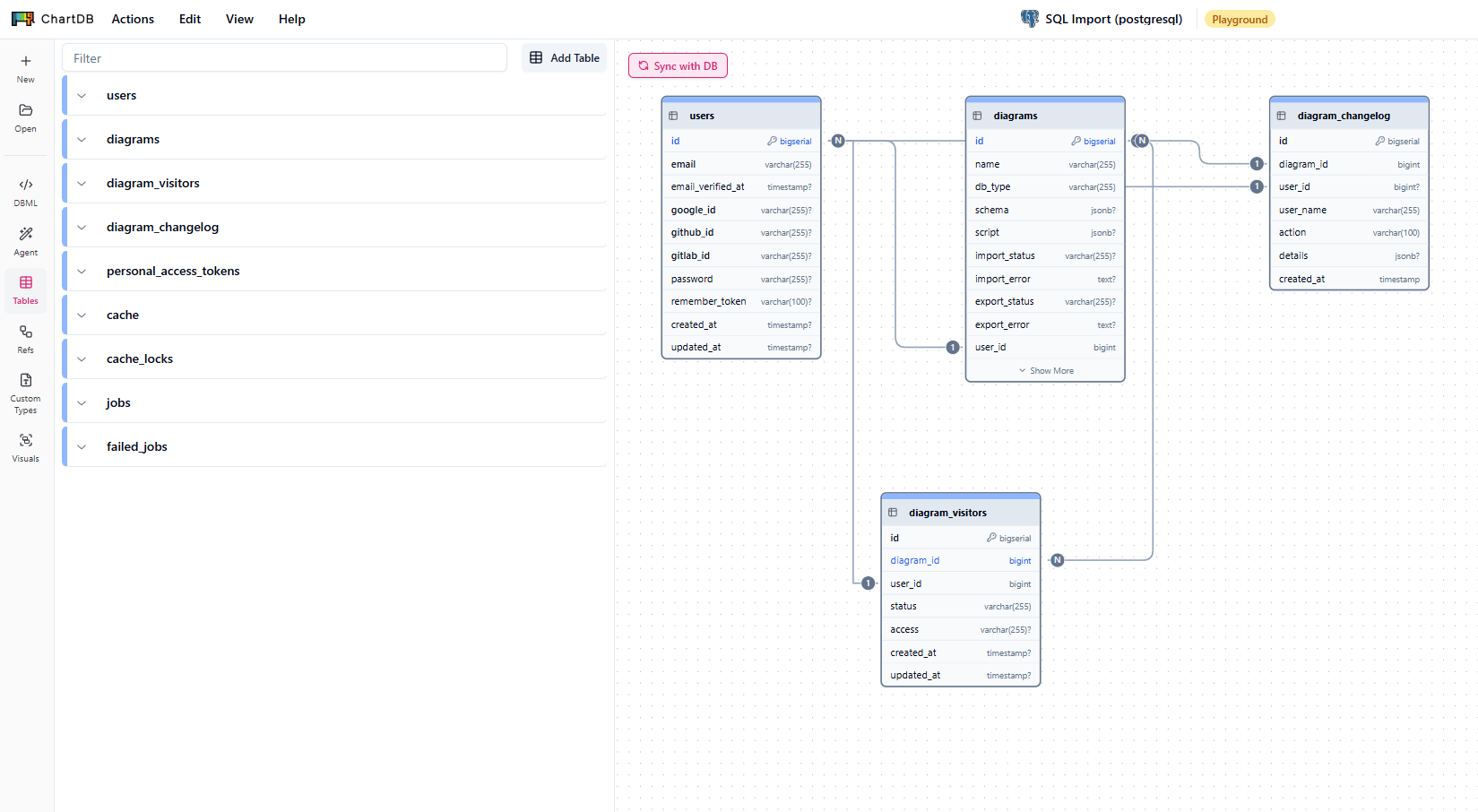
ChartDB is an open-source tool designed primarily around importing and visualising existing database schemas. Paste a SQL script or connect to a live database, and ChartDB generates a visual diagram with AI-assisted explanations of the schema. It supports MySQL, PostgreSQL, SQLite, SQL Server, and others. It is MIT-licensed and self-hostable — no cloud dependency if you host it yourself. DDL export is included.
Limitations: oriented toward documentation and understanding rather than greenfield design. Building a schema from scratch is less polished than DrawSQL or SQL Designer. The AI features require an API key or the cloud version. Self-hosting requires running your own server. Cloud plans start at $25/month.
Verdict: the strongest option for teams who need to understand, document, or reverse-engineer an existing schema with AI assistance. Less suited to design-first workflows.
Tools 6–11: Specialized, Academic, and Desktop Options
These tools serve narrower use cases: academic ER diagram learning, rapid text-to-diagram sketching, collaborative system design, presentation-quality conceptual diagrams, and auto-generating ERDs from a live database. Each is useful in its context, but general-purpose diagramming tools do not replace a SQL-aware schema designer.
Best for: students, academics, and anyone learning ERD notation
6. ERDPlus — erdplus.com
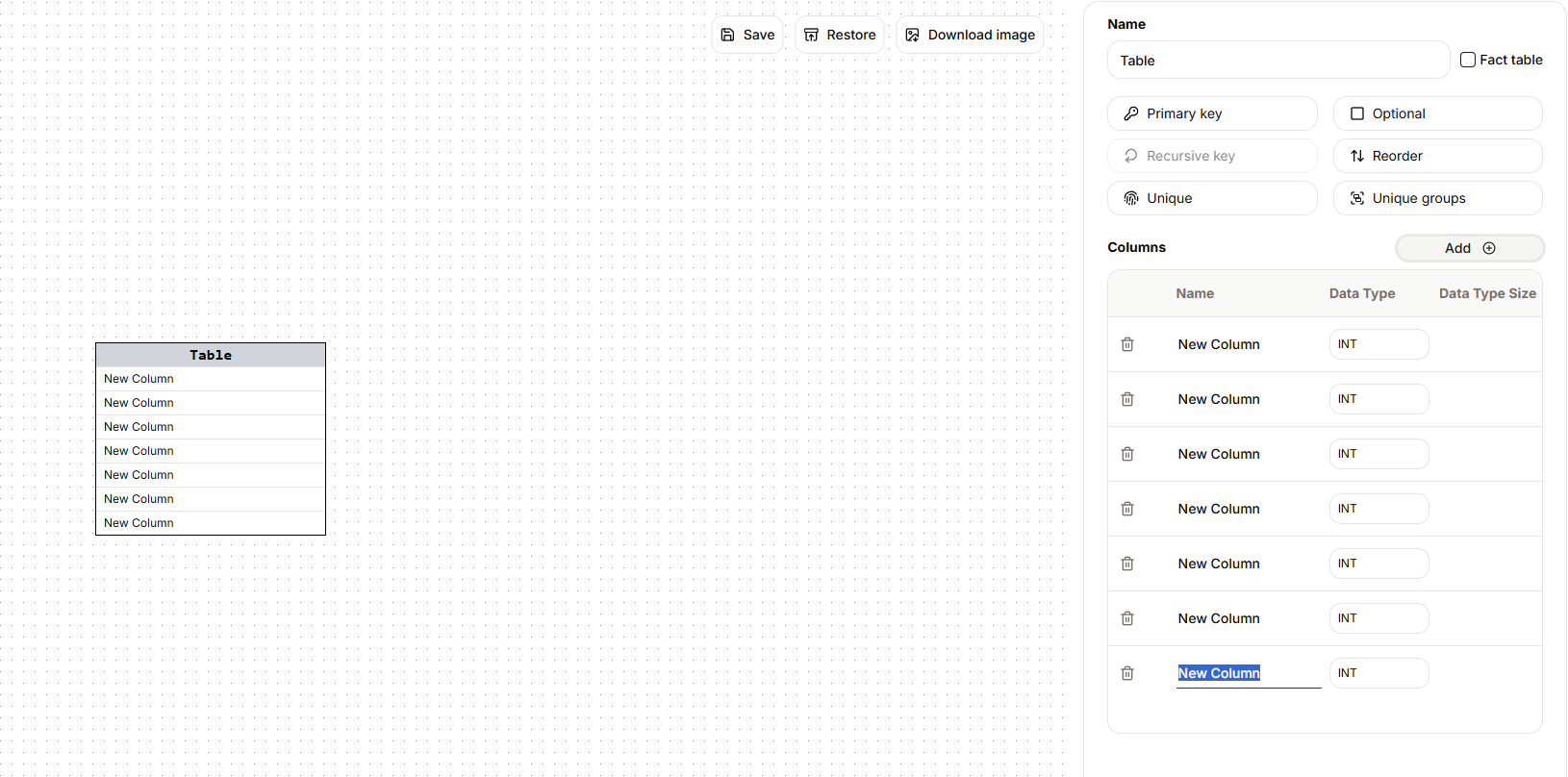
ERDPlus is a free, browser-based ERD tool aimed squarely at academic use. It supports standard Chen notation, crow's foot notation, and relational schemas. There are no account limits. It can generate SQL for simple schemas. The interface is minimal and approachable for first-time users learning entity-relationship concepts.
Limitations: the UI is basic compared to modern tools. SQL generation is limited and not production-ready. There is no collaboration or sharing beyond exporting images. It has not been updated frequently. It is a teaching tool, not a professional one.
Verdict: ideal for learning ERD concepts in an academic setting; not the right tool for real production database design.
Best for: rapidly sketching a small schema before writing any code
7. QuickDBD — quickdatabasediagrams.com
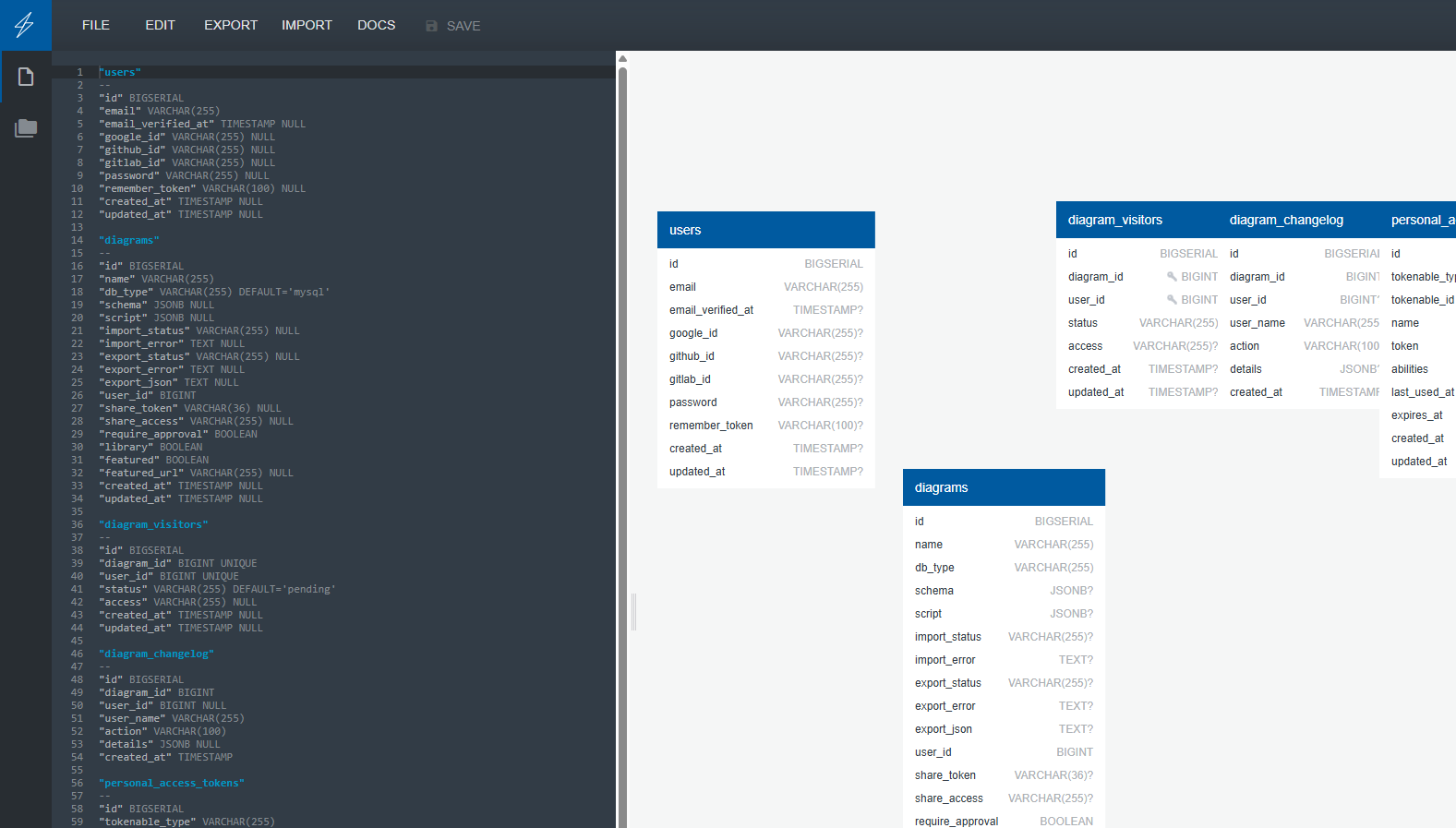
QuickDBD is a text-to-diagram tool: type a schema definition in a simple syntax and it renders a clean visual diagram on the right. It exports SQL for MySQL, PostgreSQL, SQL Server, and others, but supports import only for MySQL, Oracle and SQL Server. The tool is fast for small schemas — fewer clicks, faster iteration. It is browser-based with no install required.
Limitations: the free plan is limited to one diagram only, with paid plans at $14/month. There is no drag-and-drop visual editing — the interface is text-driven. For users who prefer clicking over typing, this is the wrong workflow. The one-diagram limit makes it impractical for real projects with multiple schemas.
Verdict: good for a quick one-off schema sketch; the single-diagram free limit rules it out for ongoing use without paying.
Best for: teams who need polished presentation diagrams with collaboration
8. Lucidchart — lucidchart.com
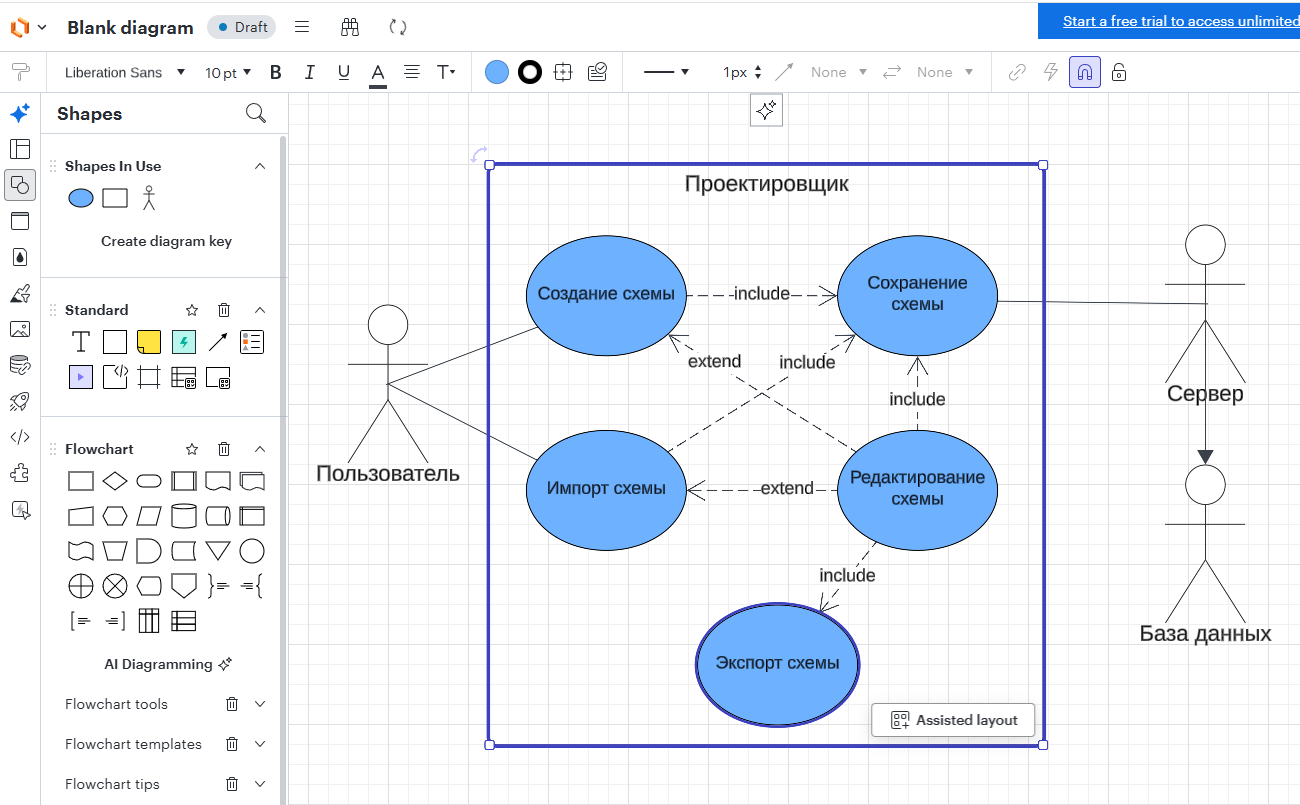
Lucidchart is a general-purpose diagramming platform with strong collaboration features — comments, version history, integrations with Slack, Jira, Confluence, and Google Workspace. It has ERD-specific shapes and templates. The user interface is polished. It is used broadly in enterprise environments for all types of diagrams.
Limitations: like draw.io, Lucidchart has no SQL awareness — column types are text labels, there is no constraint system, and there is no DDL export. The free tier limits diagrams to 60 objects, with paid plans from $9/user/month. For actual database schema design that produces SQL, Lucidchart is the wrong tool.
Verdict: excellent for presentation-quality diagrams and collaboration in existing workflows; not suitable for schema design that needs to generate SQL.
Best for: teams wanting collaborative ERDs and system diagrams with AI-assisted, code-first workflows
9. Miro — miro.com
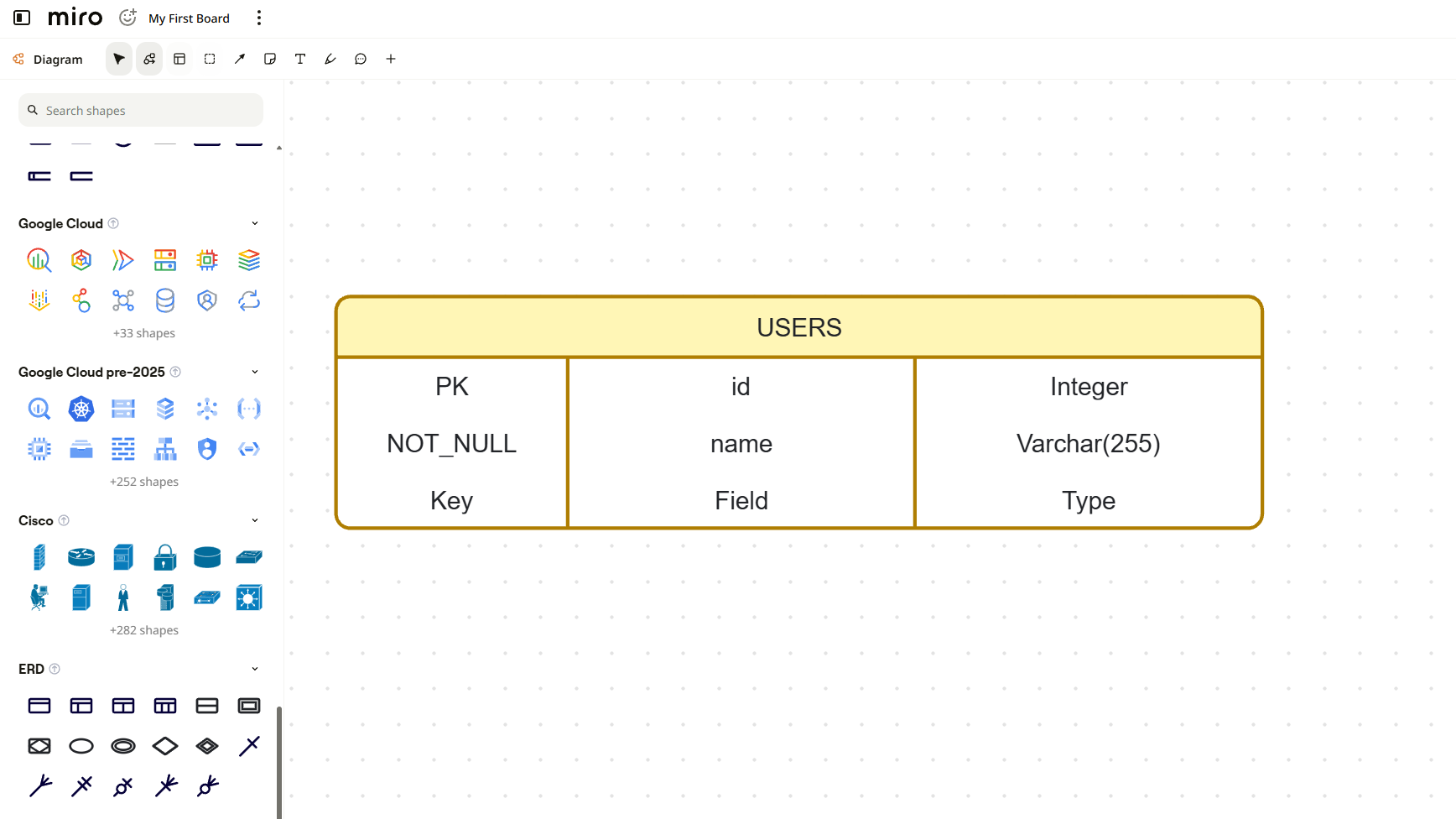
Miro is a visual workspace for entity–relationship diagrams and other technical diagrams, including UML and sequence diagrams. Its AI diagram generator can turn a short prompt into an ERD made from editable shapes on a shared board, helping a team move from an idea to a collaborative schema without starting from a blank canvas.
Miro also supports code-first workflows with Mermaid. An AI agent connected through the Miro MCP server can visualize a database's current state as a Mermaid ER diagram on a board, while the Mermaid source remains portable across compatible tools.
Limitations: Miro is a general visual workspace rather than a SQL-aware database designer, so it does not validate database types or constraints and does not export runnable DDL. The Free plan keeps only three boards editable and includes limited AI credits; Starter begins at $8 per member per month when billed annually. Keep in mind, that erd feature is only one of many tools of visual data representation Miro provides.
Verdict: a strong choice for teams that want AI-assisted ERDs alongside broader system diagrams and real-time collaboration; choose a SQL-aware tool when schema validation or DDL export is required.
Best for: teams who need multi-database visual design with a wider engine list
10. DB Designer — dbdesigner.net
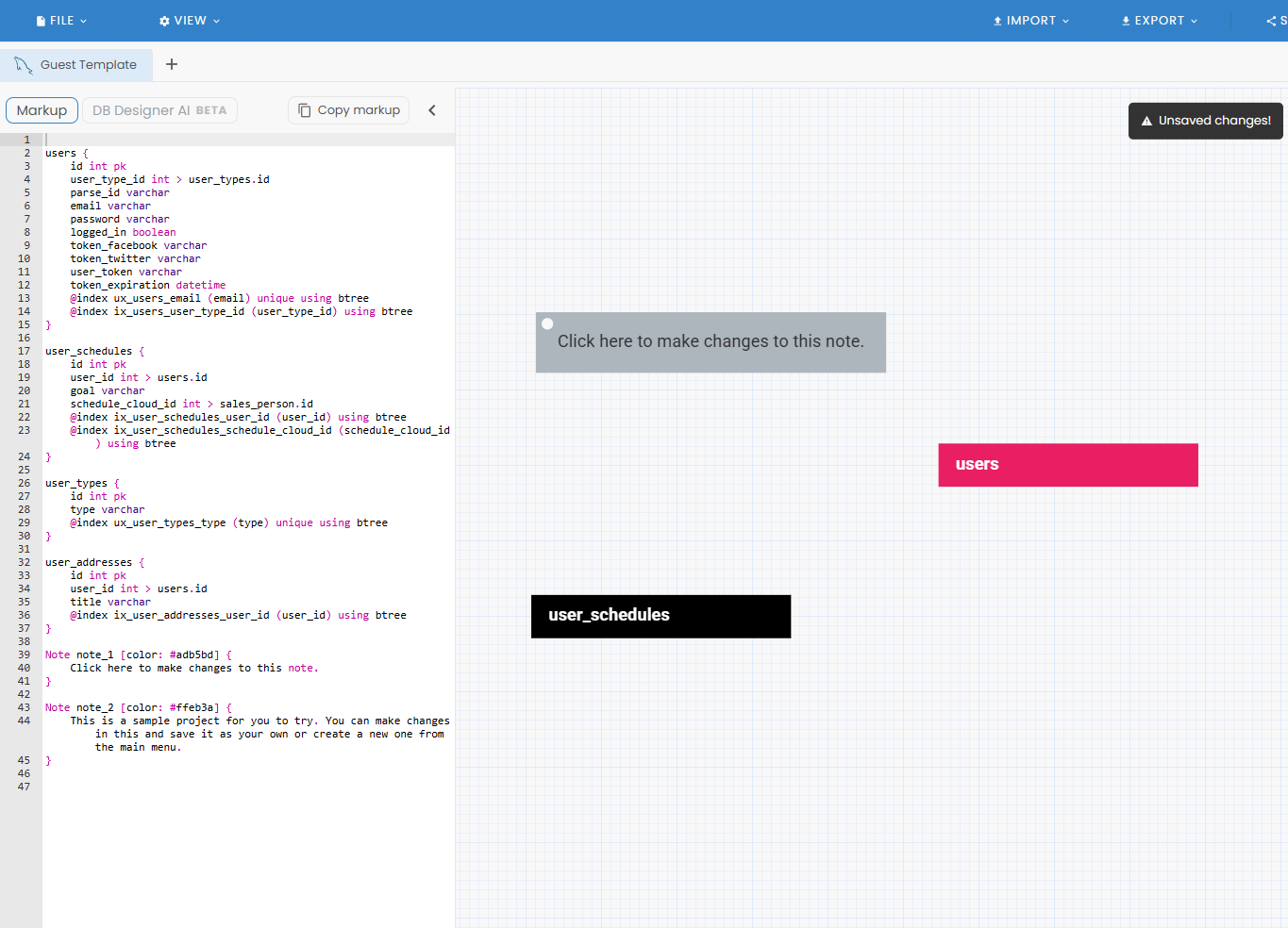
DB Designer is a visual database schema designer that supports MySQL, PostgreSQL, SQLite, and SQL Server with a drag-and-drop canvas, data type dropdowns, constraint toggles, and foreign key relationship lines. It is a closer direct competitor to SQL Designer than most other tools in this list, but with broader database engine support.
Limitations: the free tier limits the number of objects per diagram (approximately 50), with paid plans from $9/month. Collaboration and sharing are more restricted on the free plan. The interface feels dated compared to newer tools like DrawSQL. The object cap is reached quickly on real-world schemas.
Verdict: a solid visual ERD tool with wide database engine support; the free tier object cap is the main practical friction.
Best for: generating ERDs automatically from a live database you already run
11. DBeaver — dbeaver.io
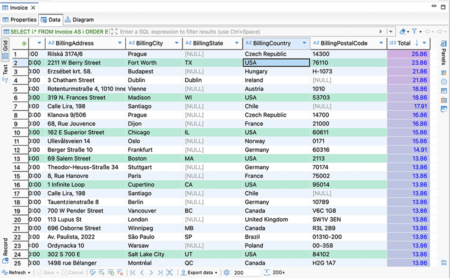
DBeaver is a full-featured desktop database client that connects to a live database, runs queries, manages data, and administrates the server. One of its features is automatic ERD generation: connect to PostgreSQL, MySQL, SQLite, Oracle, or virtually any other database, and DBeaver generates a visual entity-relationship diagram from the live schema. The Community Edition is completely free and open-source.
Limitations: requires download and installation — not browser-based. It is not a design-first tool; the ERD is generated from an existing database, not built visually. It is a large application — overkill if you just need to draw a diagram. Enterprise features cost $29/user/month.
Verdict: the best tool for visualising and working with an existing live database from the desktop; not the right choice for designing a new schema from scratch or for browser-based use.
Common Use Cases — Which Tool Fits
What Makes a Free ERD Tool Genuinely Free
Several tools in this list call themselves free but restrict the features that matter most. A genuinely free ERD tool should provide:
- Unlimited diagrams — no cap after the first two or three saves
- Unlimited tables per diagram — real schemas can have dozens of tables
- SQL export on the free tier — not a paywall feature
- Private diagrams by default — not forced-public unless you pay
- No credit card required to start
By that standard, draw.io, ERDPlus, ChartDB (self-hosted), and DBeaver Community Edition have no meaningful free restrictions. SQL Designer is an SQL-aware design tool with a Free plan that includes 1 diagram and 3 weekly combined exports, plus unlimited Pro access.
Frequently Asked Questions
What is the best free ERD tool in 2026?
The best free ERD tool depends on your use case. SQL Designer's Free plan supports visual schema design with 1 diagram and 3 weekly combined exports; Pro provides unlimited access. For documenting an existing database with AI assistance, ChartDB is a strong choice. For a quick sketch with no setup, draw.io or ERDPlus work for simple diagrams.
Which free ERD tools have no table or diagram limits?
draw.io, ERDPlus, and ChartDB (self-hosted) have no table or diagram limits on their free tiers. SQL Designer's Free plan includes 1 diagram, while Pro provides unlimited diagrams. ERDPlus is browser-based; draw.io works online and offline; ChartDB requires self-hosting to be truly unlimited.
What is the difference between an ERD tool and a general diagramming tool?
An ERD tool (SQL Designer, DrawSQL, DB Designer) understands SQL: column types are real database types (INT, VARCHAR, DECIMAL), constraints are structural features (PRIMARY KEY, FOREIGN KEY, NOT NULL), and you can export a runnable CREATE TABLE script. A general diagramming workspace (draw.io, Lucidchart, Miro) draws shapes that look like tables but has no SQL awareness — column types are plain text labels, there are no real constraints, and you cannot generate DDL. For actual database schema design, you need an ERD tool, not a generic diagram editor.
Is dbdiagram.io really free?
dbdiagram.io has a free tier, but with significant practical restrictions: SQL export is locked behind a paid plan, diagrams are public by default (private diagrams require payment at $9/month), and real-time collaboration is paywalled. You can use it to draw and share diagrams for free, but you cannot export MySQL or PostgreSQL DDL without paying. For a free end-to-end schema design workflow that includes SQL export, SQL Designer or DrawSQL are better alternatives.
Which free ERD tools support both MySQL and PostgreSQL?
SQL Designer, DrawSQL, dbdiagram.io, DB Designer, ChartDB, and DBeaver all support both MySQL and PostgreSQL. SQL Designer goes furthest — it supports six dialects: MySQL, PostgreSQL, SQLite, Oracle, SQL Server, and MS Access, with separate type pickers and DDL export for each. MySQL and PostgreSQL consistently rank as the two most widely deployed open-source relational databases (DB-Engines Ranking, retrieved May 2026). DrawSQL and DB Designer also handle both, but with free tier restrictions. ChartDB supports both for schema visualisation and import.
What is the best free ERD tool for students?
ERDPlus is specifically designed for academic use and is completely free with no limits. It uses standard ER diagram notation and is approachable for beginners learning entity-relationship concepts. SQL Designer is also a strong choice for students who want to learn practical database schema design — it's free, browser-based, and produces real SQL that can be run in a classroom database. draw.io works for conceptual diagrams in non-technical courses.
Can free ERD tools export SQL scripts?
Not all free ERD tools include SQL export on their free tiers. SQL Designer's 3 weekly Free-plan exports are shared across SQL, JSON, migration, and PNG exports; Pro exports are unlimited. DrawSQL also exports SQL for free. dbdiagram.io paywalls SQL export. draw.io, Lucidchart, and Miro have no SQL export at all — they are not SQL-aware tools.
What is the best free ERD tool for team collaboration?
SQL Designer includes real-time multiplayer editing, shareable diagram links, and embeddable iframes on the free tier. Miro combines real-time collaboration with AI-generated ERDs and Mermaid workflows through its MCP server, but its Free plan keeps only three boards editable and limits AI use. DrawSQL supports sharing and commenting, while Lucidchart's free tier limits the number of objects per diagram.
What is the best free ERD tool for documenting an existing database?
ChartDB is the strongest free tool for documenting an existing database — paste a SQL script or connect a live database, and it generates a visual diagram with AI-assisted explanations. DBeaver auto-generates ERDs from live database connections but requires desktop installation. SQL Designer also lets you paste an existing SQL CREATE TABLE script to visualise it instantly in the browser.
What key features should a free ERD tool have?
A useful free ERD tool should include: real SQL data types (not just text labels), constraint support (PRIMARY KEY, UNIQUE, NOT NULL, FOREIGN KEY), visual foreign key lines with crow's foot notation, SQL export to CREATE TABLE scripts, browser-based access with no installation required, auto-save, and no paywall on core features. Useful extras include real-time collaboration, shareable links, SQL import to visualise existing schemas, and support for multiple database engines.
What is the best free database diagram maker online?
SQL Designer is a browser-based database diagram maker supporting MySQL, PostgreSQL, SQLite, Oracle, SQL Server, and MS Access. Its Free plan includes 1 diagram and 3 weekly combined exports; Pro provides unlimited use. For teams who prefer a code-first approach, dbdiagram.io is a capable alternative, though SQL export requires a paid plan.